 Near Field Communication (NFC) products Online Store
 Worldwide Shipping (free DE shipping)

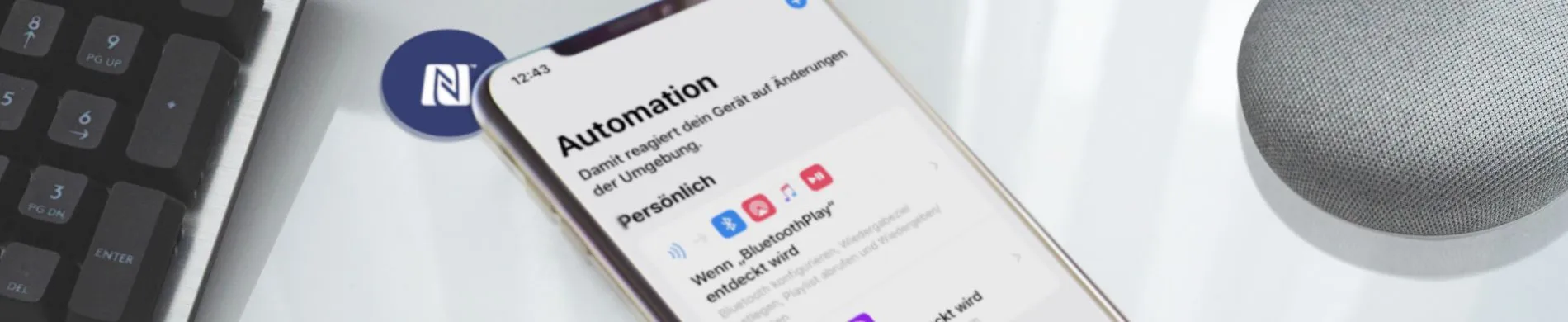
NFC has established itself as a standard function in all relevant smartphones. Beyond payment, NFC technology enables advanced functions. From simply reading a URL to the use of NFC in apps for automation or data processing, there are no limits to what is possible. In this section, instructions for using NFC with smartphones are listed and continuously expanded.
How2: Windows
Read & write NFC tags
NFC21-Reader - Read NFC-Tags in windows
With the NFC21-Tools Reader, NFC tags can be read with a Windows system in the background.
NFC21-Writer - Write NFC-Tags in windows
We explain how several NFC tags with different data types can be written with a Windows computer.
Reading the UID with Windows
We explain how the worldwide unique UID of an NFC tag can be read for Windows.
Everyday applications with NFC
Windows login with a NFC card / NFC tag
Windows login without a password? Possible with NFC chips! Learn how to do it with CodeB for more security. Get the instructions now!
Read ID card with NFC reader
Find out here how you can identify yourself and complete applications quickly, flexibly and easily from home!
NFC-Tag: Read UID in Excel with Windows
NFC-Tags at a glance! Find out here how you can have your UID read out in Excel with a Windows computer!
How2: Android
Read & write NFC tags
Android: Activate NFC function
Enable NFC function on Android smartphones
Android: Read NFC tags
Read NFC tags with Android
Android: Write NFC tags
Writing NFC tags with different data types with Android
Reading the memory of an NFC-Tag
With the right App the memory contents of a NFC-tag are revealed easily
Android: Read UID with Android
We explain how the worldwide unique UID of an NFC tag can be read for Android.
Android: Write and edit an NFC Display
NFC-Display mit verschiedenen Datentypen mit Android beschreiben und bearbeiten
Android: Label the NFC Cube
Write your Stickers for the NFC-Cube with Android.
Everyday applications with NFC
Android: Automation with NFC
Create automations and tasks and trigger them with an NFC tag.
Android: Trigger tasks with conditions with NFC
Here we explain how conditions can be created for specific tasks.
Launch app with a NFC tag
In this How2 we explain how to launch an app on an Android smartphone directly with an NFC tag.
Android: Read text aloud with NFC
Learn how you can have texts read aloud to you just by scanning the NFC tag and using Android!
Sharing WLAN with NFC and an Android smartphone
This How2 describes how to make a WLAN network shareable with Android via NFC tag.
Android: Share Spotify Playlist
Make Spotify Playlist divisible by an NFC tag with Android
Create a timer with an NFC-Tag
Smart timers made easy: Find out how to automize tasks by creating timers with the NFC Tasks app and a NFC tag for Android. Perfect for everyday life!
Android application example: Activate "Car mode"
In this How2 we present a concrete application example based on the knowledge of automation with the Android smartphone.
How2: iOS
Read & write NFC tags
Reading NFC tags with iOS 14
Since iOS 14: NFC without an app! Learn how to read NFC tags on older iPhones using the advanced control centre. From URLs to shortcuts.
Read NFC tags with iPhone XS or newer
iOS: Read NFC tags with NFC21 Reader
With the NFC21 Reader app on your iPhone, you can discover how easy NFC can be – from opening web links to composing emails.
iOS: Writing and reading NFC tags with NFC21 Tools
Discover the NFC21 Tools app for iOS: Easily read, write, and personalize NFC tags!
iOS: Reading the UID with iOS
Reading UIDs with NFC made easy with iOS! Learn how to do it quickly and easily in just 2 minutes! Find out more now!
iOS: Write and edit an NFC Display
Write and edit NFC display with different data types with iOS
iOS: Label the NFC Cube
Your NFC cube, your rules! With NFC21 tools and Apple shortcuts, you can customize each side of your cube. Learn more here!
Simple & easy applications with NFC
Basics: Creating short commands and triggering them with NFC tags
This How2 introduces the app shortcuts for iOS 13 and shows how smartphone actions can be performed automatically by an NFC chip.
Search for ready-made shortcuts and save them to an NFC tag
In this How2 we introduce the Apple shortcut gallery and explain how to use it.
Start app with NFC tag
NFC tags - Learn how to open apps directly on your iPhone using shortcuts and an NFC tag.
iOS: Read text with NFC
Learn how you can have texts read aloud to you just by scanning the NFC tag and using an iPhone!
Set alarm clock with NFC tag
Wake up effortlessly and save time: Set your alarm clock with NFC - Here's how to do it in 4 minutes for iOS users!
Create toothbrush timer via NFC
Time for healthy teeth! Create your personal toothbrushing timer in 7 minutes with an NFC sticker. Simple and effective!
iOS: Share Spotify Playlist with NFC
For music lovers: Save the link to your Spotify playlist to an NFC tag in 2 minutes and share it with friends.
Launch fitness app via NFC
Fitness on the Go: Launch your sports app with a simple scan of an NFC tag!
Start a stopwatch with an NFC tag for iOS
Find out how you can set up and automatically run your stopwatch in just 5 minutes with an NFC tag!
Share WLAN with NFC and an iPhone
Quick Wi-Fi sharing via NFC: Save, scan and share access data with ease using an NFC tag!
Send image as PDF via email
Quickly and easily take a photo as a PDF with an NFC tag and send it directly by email!
Calculate travel time and send via messenger
Optimise your journey home: scan the NFC tag, calculate your travel time, send it via messenger! All in just 7 minutes!
Start music playback via a Bluetooth box with NFC
This How2 explains how an NFC chip can automatically play music from a playlist on a Bluetooth box.
Create an NFC automation with the AirTag in Shortcuts app
Use your AirTag as an NFC tag to save time in everyday life! Learn how to open URLs or start your home route. Find out more now!
Advanced applications with NFC
Advanced: Performing actions through an automation
Do more with your iPhone! Our How2 shows you how to add more actions to existing automation processes. In just 10 minutes!
Create complex automations
In this How2, an example scenario is used to explain how different actions can be linked together in a meaningful way.
Mute all notifications by timeout with NFC
In this How2 we explain how to mute all notifications with only one NFC scan around an individual timeout.
Filter contacts directly with an NFC-tag
Efficient contact management with NFC: How to create a tag that filters your contacts based on individual criteria. Ideal for quick access!
Save current location with NFC tag
Use NFC and shortcuts to save your location in a flash! Simply scan, name places and save them in notes – find out more here!
Automatic reminder of an expiration date using NFC tags
In this How2 we explain how an NFC tag can be used to set an expiry reminder.
How2: General
UID
Configuring the ACS1552U Reader as a UID scanner
Find out here how you can quickly and easily use a reader as a UID scanner!
Reading UIDs with the iPad using an NFC reader
Find out here how you can quickly and easily read UIDs with your iPad.
NFC lock
Using IKEA Rothult with NFC tags
In this How2 we explain how the NFC lock can be opened and closed with foreign NFC tags.
Frequently asked questions
FAQ: NFC with the Smartphone
Frequently asked questions about NFC and iOS, or NFC and Android