 Near Field Communication (NFC) products Online Store
 Worldwide Shipping (free DE shipping)

A UID must always be read when the NFC chip is used to identify a specific product (e.g. a garment) or security measures (seals) are associated with the NFC chip. Find out more about possible everyday applications of NFC tags here.
A UID is an identification number consisting of letters and numbers, 7 bytes in size. The UID is globally unique, read-only and can be read by most NFC devices and all NFC-enabled smartphones. The UID cannot be deleted or changed, so each NFC chip is uniquely identified.
In this article, we explain how to read the UID with Android.
Content:
Read the UID of an NFC tag
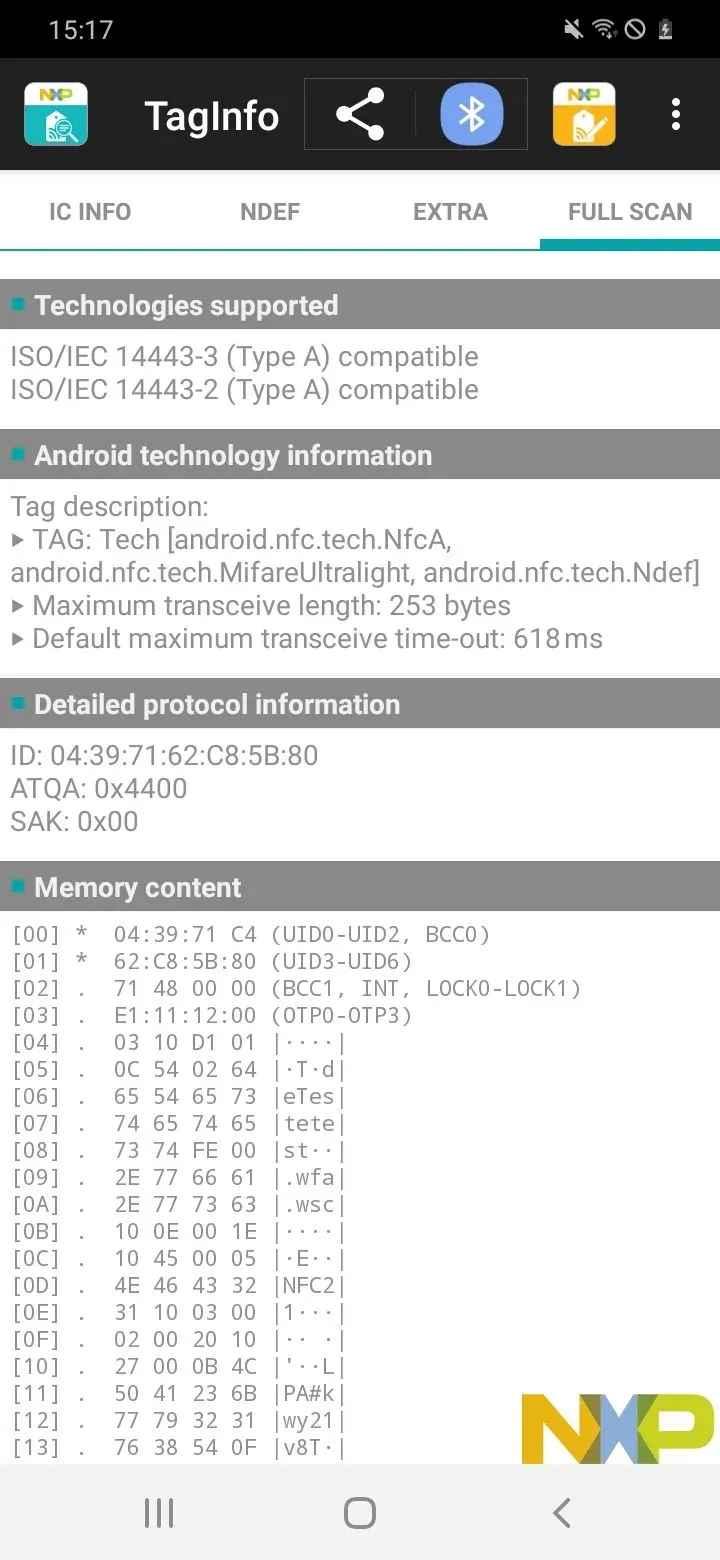
To read the UID of your NFC tag with an Android smartphone open the free app NXP TagInfo.
Now hold the NFC tag to the upper back of the smartphone. The smartphone usually vibrates after the tag has been completely scanned.
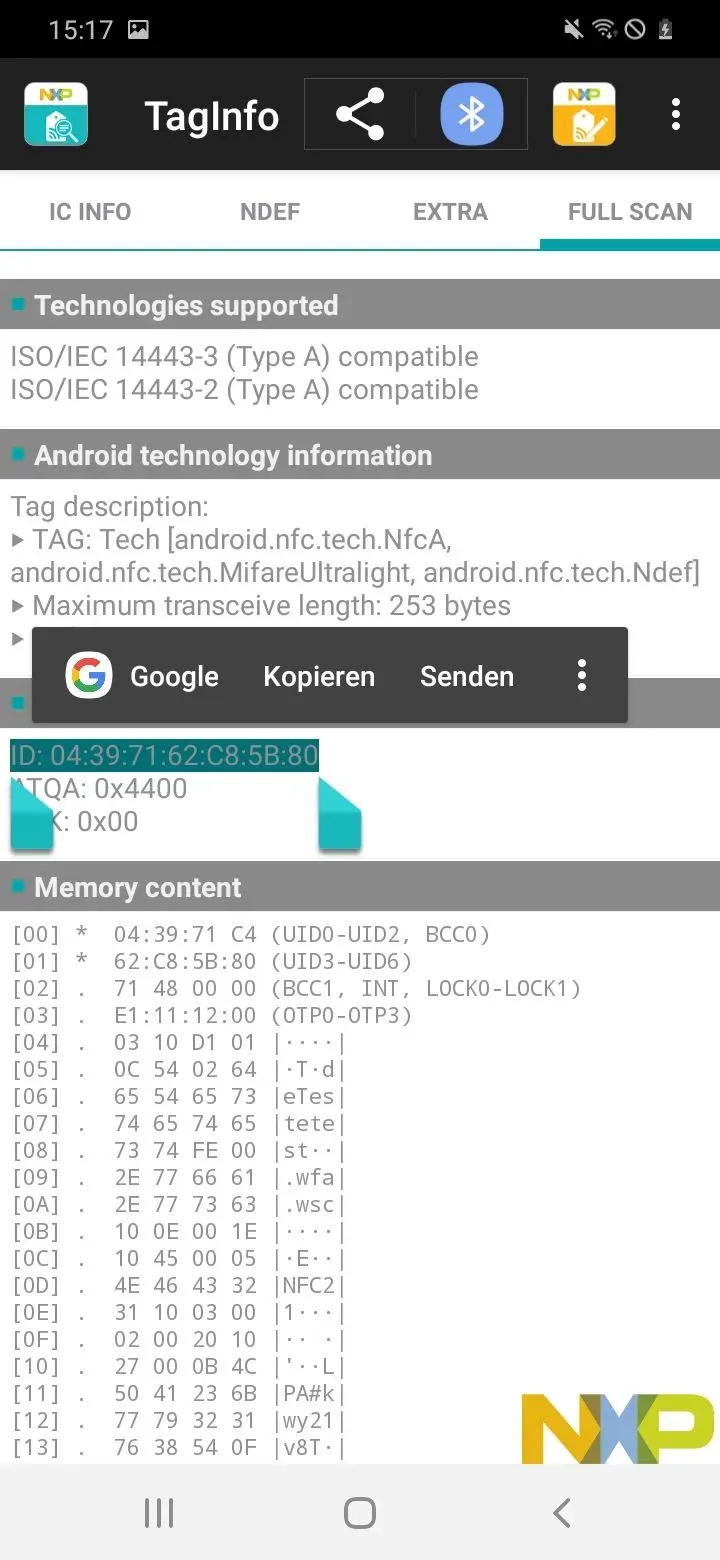
Then tap on FULL SCAN. Here you can view the ID of your NFC tag under Detailed protocol information. Press and hold to mark and copy this number.
Summary
In this article, we briefly explained how the UID of any NFC chip can be read with Android.
Associated operating systems
AndroidFirst published: 19.08.2025 / Updated: 19.08.2025